

In this guide
- 1. Map care before technology
- 2. Build the wired and wireless foundation
- 3. Contain failures with security layers
- 4. Engineer external dependencies
- 5. Define continuity and recovery
- 6. Monitor, baseline, and renew
- 7. Run a practical outage playbook
- 8. Establish an operating cadence
- 9. Follow a 30/60/90-day plan
- 10. Complete the self-assessment
- Clinic resilience FAQ
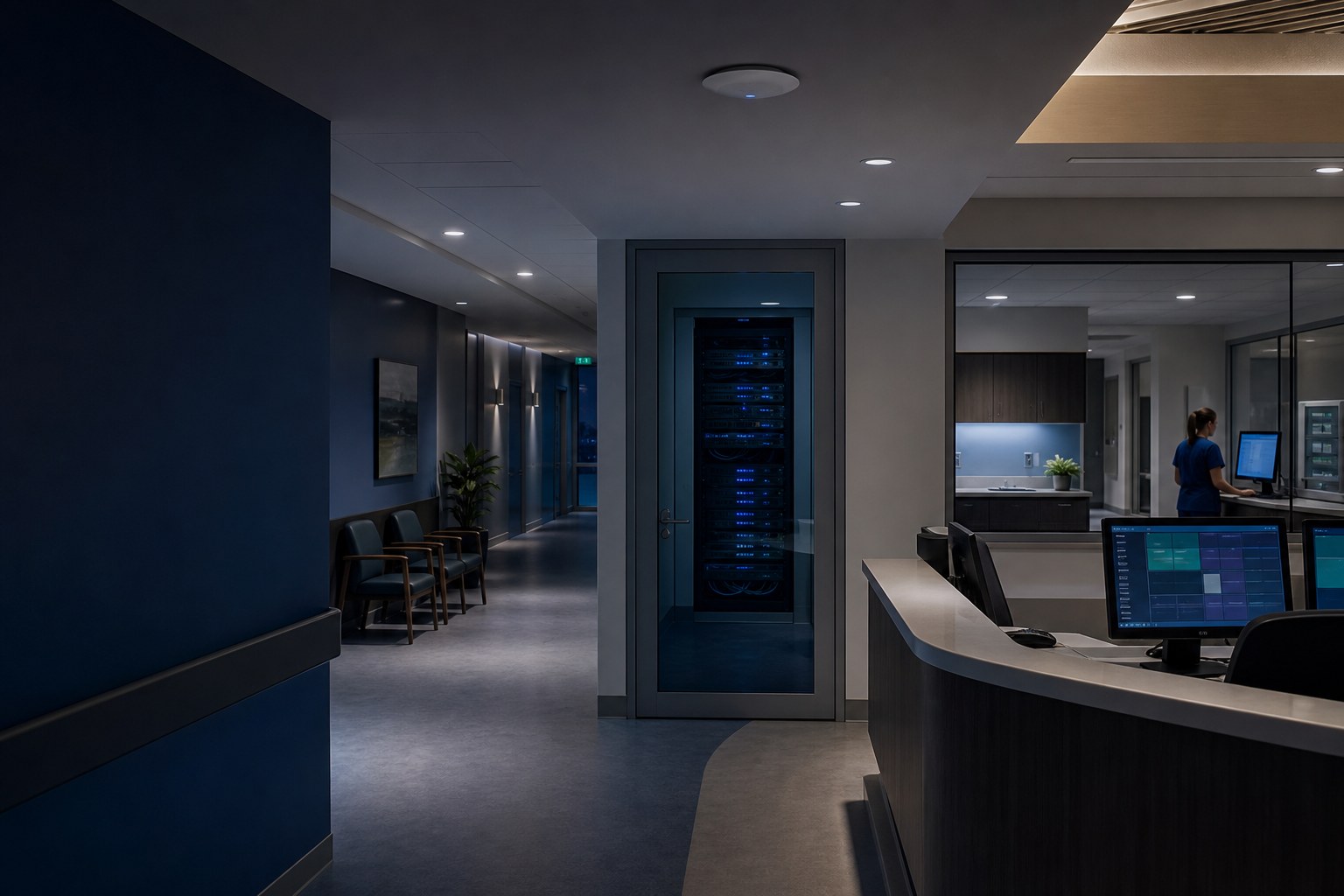
The resilience test
For every essential workflow, a clinic should be able to answer five questions: What does it depend on? How will we know it is failing? What can staff do safely while it is unavailable? Who leads technical and vendor escalation? How do we prove recovery works? Hardware and support services matter, but those answers are the operating system for continuity.
This guide is an operational architecture and business-continuity blueprint. It complements, rather than repeats, our overview of managed IT for medical clinics. The goal is not to promise uninterrupted service—no credible provider can—but to reduce avoidable failures, limit their blast radius, and make response less improvised.
Map care delivery before buying technology
Begin at patient arrival, not at the server rack. Walk a real appointment from check-in through checkout and identify every technical handoff. Reception may need internet access, identity services, the EMR, a card terminal, label printer, document scanner, and VoIP. The clinician may add e-prescribing, results feeds, dictation, imaging, and a room-specific workstation. Checkout can depend on scheduling, billing, payment, printing, and outbound messaging.
Document each workflow as a chain: task → application → identity → endpoint → local network → internet or server → external vendor → output device. Then record the business owner, technical owner, vendor contact, authentication method, data location, manual workaround, and acceptable interruption. This exposes hidden concentration risk. For example, dual internet will not help if every clinician is locked out by one identity-provider outage, and a healthy EMR will not help reception if the scanner driver fails after an update.
- Tier 1—patient safety and immediate care: access to critical chart information, urgent communications, and safe patient identification.
- Tier 2—same-day clinic flow: scheduling, intake, prescribing, scanning, phones, billing, and payment.
- Tier 3—deferrable operations: reporting, batch processing, archives, and administrative work that can wait.
Assign recovery order using clinical and operational impact, not whichever vendor calls back first. Review the map whenever the clinic adds a room, service, device, cloud application, or vendor integration.
Build a measured wired and wireless foundation
Use wired Ethernet for fixed, latency-sensitive, or high-throughput systems wherever practical: reception workstations, servers, access points, VoIP phones, imaging equipment, and shared printers. Structured cabling should be labelled at both ends, tested, documented, and terminated in secured communications spaces. Managed switches should provide capacity headroom, suitable Power over Ethernet, redundant uplinks where justified, and logs that support troubleshooting.
Wireless design starts with a predictive plan and an on-site survey, not access points placed by floor-plan symmetry. Wall materials, lead-lined rooms, shelving, neighbouring networks, and device radios all alter coverage. Design for both signal and capacity, then perform post-installation RF validation during realistic clinic conditions. Confirm roaming, channel use, interference, retry rates, and performance in every exam room—not just the waiting area. Our enterprise wireless service and network infrastructure service describe the implementation layers in more detail.
Separate trust zones deliberately
- Clinical: managed endpoints used for EMR and care delivery, with only required access to internal services.
- Staff or administrative: business systems that do not need the same pathways as clinical devices.
- Guest: internet-only access, client isolation, sensible bandwidth controls, and no route to clinic resources.
- IoT and facilities: TVs, cameras, environmental controls, and other difficult-to-manage devices isolated by default.
- VoIP: phones separated where appropriate, with traffic policy, monitoring, and voice-specific dependencies documented.
VLAN names alone do not create security; firewall policy between them does. Start from deny-by-default and permit only documented flows. For clinic-managed wireless, prefer WPA3-Enterprise where the device estate and authentication infrastructure support it. Individual identity or device certificates provide attribution and clean revocation when staff leave or devices are lost. If legacy medical or IoT devices cannot participate, place them in a tightly restricted segment instead of weakening authentication for everyone.
Use security layers that also improve resilience
A business-grade firewall should have a supported software lifecycle, configuration backup, monitored security events, controlled administrative access, and rules tied to a documented purpose. Enable appropriate threat prevention, DNS or web protections, and secure remote access, but tune them against real clinic traffic. A feature that silently blocks e-fax, voice, or an EMR integration is an availability problem; a permissive “allow any” workaround is a security problem. Change control and testing are the bridge between them.
Zero trust is a design principle, not a product. Verify the user and device, grant the minimum access needed, limit the duration and path of privileged access, and log sensitive actions. Combine that with:
- Individual accounts—never a shared “reception” login where accountability matters.
- Phishing-resistant MFA where supported, especially for email, remote access, cloud administration, and privileged roles.
- Separate administrator accounts, with day-to-day work performed as a standard user.
- Role-based access and prompt offboarding across the EMR, Microsoft 365, VPN, phones, and vendor portals.
- Managed endpoint protection, encryption, patching, screen-lock policy, application control where practical, and secure disposal.
Least privilege also limits operational mistakes: the account used to browse email should not be able to delete backups or reconfigure the firewall. Keep emergency administrative access protected, monitored, and tested so stronger controls do not create a lockout during an incident. See our network security approach for the broader control set.
For BC clinics, do not copy US compliance language blindly. HIPAA is US law; it is not the general privacy regime for a British Columbia clinic. Private-sector clinics in BC commonly need to consider the Personal Information Protection Act (PIPA), while PIPEDA or other requirements may apply based on the organization and data flows. Technical controls support privacy obligations but do not establish legal compliance. Obtain qualified privacy or legal advice for your situation.
Engineer the dependencies outside your walls
Cloud software moves infrastructure; it does not remove dependencies. For each EMR, VoIP platform, scanner workflow, payment system, lab feed, and specialist vendor, record the support contract, tenant or account identifier, authorized contacts, escalation number, status page, maintenance windows, integration owner, and export or downtime options. Keep this contact sheet available when the network is down.
In 2026, BC clinics that still depend on the Private Physician Network should also treat its September 4 retirement as a continuity project, not a last-minute carrier change. Inventory every PPN-dependent service, validate the replacement path, test remote access and vendor allowlists, and keep rollback and escalation contacts ready. Our PPN transition support guide covers that deadline in detail.
When an EMR feels slow, capture timestamp, workstation, user, workflow, wired or wireless connection, and whether other cloud services were affected. This lets IT correlate endpoint, LAN, WAN, DNS, and vendor evidence instead of operating a blame loop. Our guide to a slow clinic EMR explains that diagnostic path.
Dual internet helps, within limits
A second circuit is valuable only if it avoids the same failure domain. Two services delivered through the same building conduit, carrier, modem power source, or neighbourhood equipment may fail together. Where possible, diversify provider and physical medium—for example, fibre plus fixed wireless or cellular—and confirm adequate secondary capacity for priority workflows.
Configure automatic failover on the firewall, define which traffic receives priority on the slower link, and test it under load. Account for public IP changes, VPN tunnels, voice registration, DNS behaviour, vendor allowlists, and sessions that may need to reconnect. Failback also needs testing. Dual WAN does not address a failed switch, dead firewall, power outage, EMR vendor incident, or identity outage, and cellular service can congest during a regional event.
Power is part of the network
Use monitored UPS protection for the firewall, switches, access points, internet handoff, local servers, and other equipment needed to sustain the network. Size runtime from measured load and a documented objective, not the carton’s ideal estimate. Replace batteries on condition and lifecycle, test shutdown behaviour, and ensure alerts reach someone. A UPS bridges short interruptions and supports graceful shutdown; it is not a generator and does not make a clinic safe to operate through an extended building outage. Include lighting, HVAC, medical equipment, building access, and life-safety constraints in the business decision to remain open.
Separate backup, continuity, and disaster recovery
Backup preserves recoverable data. Business continuity keeps essential work operating at an acceptable level during disruption. Disaster recovery restores technology and data after a serious event. Buying backup storage addresses only one part of the problem.
Define objectives per workflow. The recovery point objective (RPO) is the maximum acceptable data loss measured in time: an RPO of four hours means the clinic accepts that up to four hours of changes might need reconstruction. The recovery time objective (RTO) is the target time to restore service. Neither is a vendor slogan or guarantee. Both should be approved by clinic leadership, backed by architecture, and validated with exercises.
Inventory what is actually in scope: local servers and databases, Microsoft 365, configuration files for firewalls and switches, line-of-business applications, scan repositories, and any endpoint-local data that should not exist but does. Clarify what the EMR vendor protects, what it can restore, how quickly, and what remains the clinic’s responsibility.
- Keep multiple copies using independent storage and credentials, with at least one offsite copy.
- Use immutable or otherwise deletion-resistant retention so compromised administrators cannot erase every recovery point.
- Encrypt data in transit and at rest, control recovery access, and document where data is stored.
- Alert on failed jobs and on missing expected success; “no alert” must not be treated as proof.
- Restore representative files, applications, and configurations into an isolated environment and record results, duration, and gaps.
A dashboard that says “successful” proves a job ran, not that the clinic can recover. Read why backups fail when needed and review our data backup and recovery service for further detail.
Monitor health, establish baselines, and plan lifecycle
Monitoring is useful when it detects a condition early enough for someone to act. Collect availability and performance signals from internet circuits, firewall, switches, wireless controllers, UPS units, servers, endpoints, backup systems, certificates, and critical integrations. Route actionable alerts by severity and ownership; suppress noise that trains responders to ignore alarms.
Establish a normal baseline across busy and quiet periods: WAN utilization and latency, packet loss, WiFi retries, access-point client load, switch errors, storage growth, server resource use, endpoint patch compliance, backup duration, UPS battery health, and ticket patterns. A baseline turns “the EMR is slow” into a measurable departure from normal and helps distinguish a clinic issue from a vendor event.
Capacity planning should look forward. Add expected clinicians, rooms, phones, wireless devices, cameras, imaging volume, and cloud traffic before the current design reaches saturation. Maintain a lifecycle register with model, serial number, location, support expiry, firmware status, warranty, configuration backup, replacement year, and owner. Replace unsupported firewalls, switches, access points, servers, and operating systems through a planned budget—not during an outage.
Use one sudden-outage playbook
During an outage, avoid uncoordinated rebooting and simultaneous vendor calls. Appoint an incident lead, one clinic communications lead, and a scribe. Record start time, symptoms, affected locations and workflows, recent changes, patient-safety implications, actions taken, and vendor case numbers.
- Protect care first. Identify urgent patients, preserve access to essential information through approved downtime methods, and decide whether service must be reduced, redirected, or paused.
- Establish scope. One workstation or all? Wired and wireless? One application or all internet services? Phones too? This determines the first escalation.
- Activate downtime procedures. Use controlled paper registration, encounter, order, prescription, and charge forms as approved by clinic leadership. Record unique patient identifiers, author, and time.
- Triage by layer. Check power and physical status, then endpoint, local network, internet and DNS, identity, application, and external vendor. Preserve logs and avoid destructive changes.
- Coordinate escalation. The IT lead owns cross-vendor diagnosis so the clinic does not relay technical messages among ISP, EMR, voice, and hardware vendors.
- Communicate on a schedule. Share known impact, workaround, owner, and next update time. Do not invent an estimated restoration time.
- Recover and reconcile. Confirm service stability, then enter paper records under a two-person or otherwise approved reconciliation process. Avoid duplicate orders, bookings, billing, and messages.
- Review. Within days, document timeline, root and contributing causes, what worked, what failed, and corrective actions with owners and dates.
Paper downtime packs need current forms, instructions, labels, secure storage, controlled access, and a replenishment owner. Staff should practise using them before an emergency. A paper process is not automatically privacy-safe: protect the documents, track custody, and securely dispose of superseded copies according to clinic policy.
Turn support into a recurring operating discipline
Reliable support is not only a help desk. It is the routine that keeps architecture, documentation, people, vendors, and recovery plans aligned as the clinic changes.
- Daily: review critical security, availability, and backup exceptions; triage patient-flow-impacting tickets.
- Weekly: patch eligible endpoints, review unresolved incidents, verify new-user and offboarding actions, and follow recurring faults.
- Monthly: review performance baselines, capacity, backup evidence, asset changes, privileged access, vendor incidents, and maintenance outcomes.
- Quarterly: conduct a clinic leadership review covering risk register, lifecycle budget, service trends, recovery tests, and upcoming operational changes.
- Annually and after major change: refresh dependency maps, validate wireless and network assumptions, exercise downtime and recovery plans, and reassess insurance and privacy requirements with qualified advisers.
Define severity in clinical terms. “All systems down,” “chart access unavailable,” and “phones unable to receive calls” should trigger emergency handling with a clear acknowledgement target, named escalation, and update cadence. Resolution time cannot always be guaranteed when a carrier or cloud vendor controls restoration, but ownership and communication can be explicit.
A practical 30/60/90-day resilience plan
Days 1–30: discover and contain
- Map arrival-to-checkout dependencies, rank workflows, and identify owners and vendors.
- Inventory assets, accounts, circuits, warranties, backup scope, and support contracts.
- Close urgent exposure: unsupported internet-facing devices, shared admin credentials, missing MFA, failed backups, and absent offboarding.
- Write a one-page outage contact tree and prepare controlled downtime packs.
Days 31–60: stabilize and prove
- Baseline network, wireless, endpoint, power, and application performance during clinic load.
- Validate segmentation and firewall rules; complete RF survey and remediation design.
- Test internet failover, UPS runtime, configuration recovery, and representative data restores.
- Assign realistic RPO and RTO targets to priority workflows and reconcile them with vendor capability.
Days 61–90: exercise and operationalize
- Implement prioritized network, identity, monitoring, backup, and lifecycle improvements.
- Run a tabletop outage followed by a limited technical recovery exercise.
- Train staff on escalation, downtime documentation, and post-recovery reconciliation.
- Approve a quarterly review cadence, annual test calendar, risk register, and multi-year replacement budget.
The plan should produce evidence: diagrams, inventories, test results, named owners, and approved priorities. It should not force a wholesale replacement unless measured condition and risk justify one.
Medical clinic IT resilience self-assessment
Score each row as verified, partial, or unknown. “Installed” is not the same as verified; ask for diagrams, configuration evidence, reports, and test records.
| Area | Evidence to verify | Warning sign | Priority action |
|---|---|---|---|
| Workflow dependencies | Arrival-to-checkout map with owners, vendors, fallback, and recovery order | Knowledge lives with one employee or provider | Map one busy clinic day end to end |
| Network documentation | Current logical and physical diagrams, labelled cabling, configuration backups | Unknown switches, daisy chains, or unmanaged equipment | Inventory, label, test, and diagram |
| Wireless | Survey and post-install RF validation covering every clinical space | Extenders, dead zones, sticky clients, unexplained drops | Measure coverage, capacity, roaming, and interference |
| Segmentation | Clinical, staff, guest, IoT, and voice zones with documented firewall policy | Guests or unmanaged devices share clinical access | Design least-access inter-zone rules |
| Identity | Individual accounts, MFA coverage, role matrix, admin separation, offboarding log | Shared logins, stale users, daily admin use | Secure privileged and remote access first |
| Endpoints | Encryption, protection, patch compliance, supported OS, lifecycle register | Unknown devices or unsupported operating systems | Enroll, patch, isolate, or replace |
| Internet failover | Diverse path assessment and dated failover/failback test under load | Two circuits share one carrier or were never tested | Validate diversity, capacity, voice, VPN, and vendor access |
| Power | UPS load, runtime test, battery health, alerting, shutdown procedure | UPS beeps ignored or only the server is protected | Protect the complete critical path |
| Backups | Scope inventory, independent credentials, immutable offsite copy, daily oversight | Only sync, one reachable copy, or silent failures | Correct scope and isolate recovery copies |
| Recovery | Approved RPO/RTO and dated restore results with actual duration | No one has restored the priority system | Run an isolated representative restore |
| Downtime readiness | Current paper pack, contact tree, staff training, reconciliation procedure | Forms are missing or staff do not know where they are | Run a short tabletop exercise |
| Monitoring | Actionable alerts, normal baselines, named responder, monthly trend review | Alerts are noisy, unowned, or only checked after complaints | Assign severity, owner, threshold, and response |
| Vendor coordination | Contracts, authorized contacts, escalation paths, case history, status sources | Front desk mediates between technical vendors | Create an offline vendor runbook |
| Lifecycle and governance | Support-expiry register, risk owner, quarterly review, replacement budget | Equipment is replaced only after failure | Approve a rolling three-year roadmap |
Five conclusions your assessment should avoid
- “We have two internet links, so we cannot go offline.” Shared pathways and non-internet failures remain.
- “The EMR is cloud-based, so continuity belongs to the vendor.” Local identity, network, power, endpoint, and downtime processes still belong to the clinic.
- “The backup job is green, so recovery is covered.” Only an appropriately scoped restore test supplies evidence.
- “A shared password is simpler for a busy front desk.” It weakens accountability, offboarding, and incident containment.
- “The support company will know what to do.” Emergency roles, clinical priorities, communication, and vendor authority must be agreed before the event.
Turn this blueprint into a tested clinic plan
NYRO Dynamics can assess your current environment, build the dependency and risk picture, prioritize practical improvements, and provide proactive ongoing support with a documented emergency path. The objective is measurable readiness and better recovery—not an unsupported promise that incidents will never happen.